AIoT and sensors
Sensors connected to the model, automatically
A sensor reading means little until it is tied to the member it sits on and checked for faults. EarthState does that connection for you: from the sensor list to a calibrated twin that is compared with measurement before anyone relies on it.
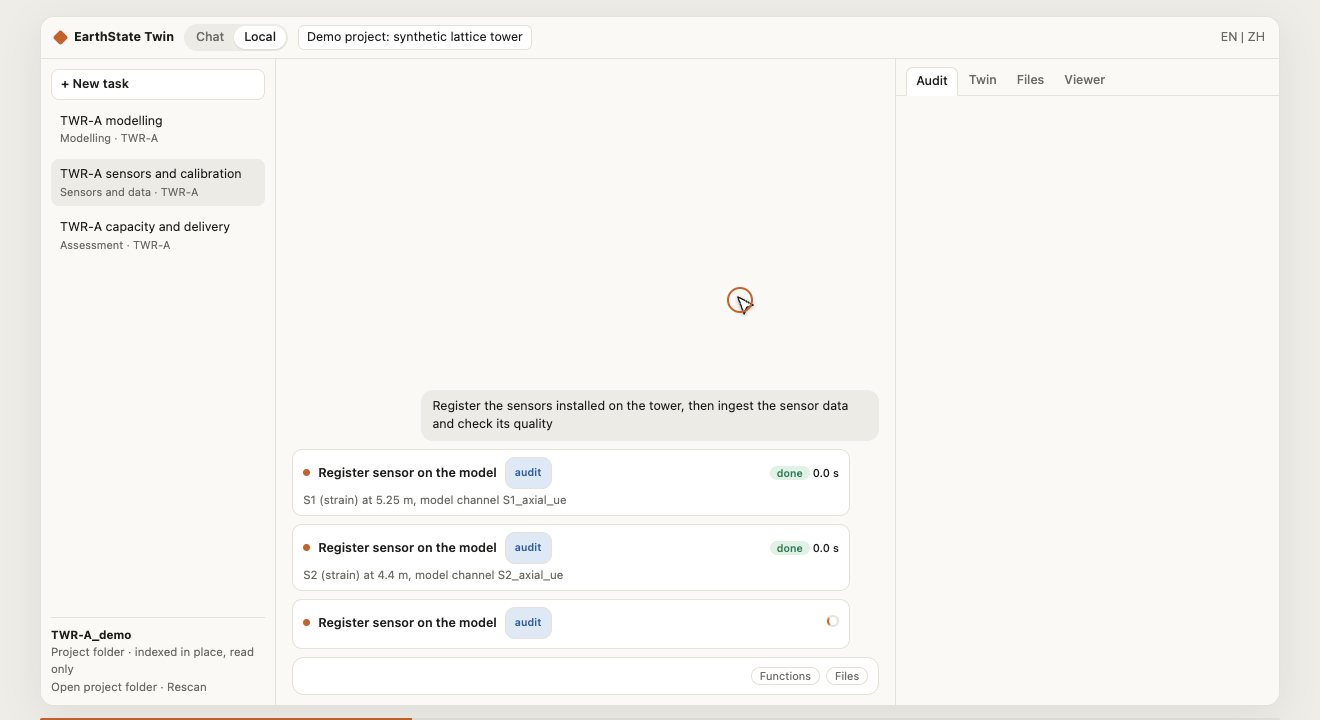
One instruction, the whole chain
You ask in plain language: register the sensors installed on the tower, then ingest the sensor data and check its quality. The assistant runs the platform's own skills in order, and every value on screen comes from one of those skills.
- Reads the sensor interface list: sensor, member or node, height, data file and data source
- Registers each gauge on its model member and gives it a model channel
- Strain gauges and an anemometer on the demonstration tower
The sensor chain
From a sensor list to a twin you can trust
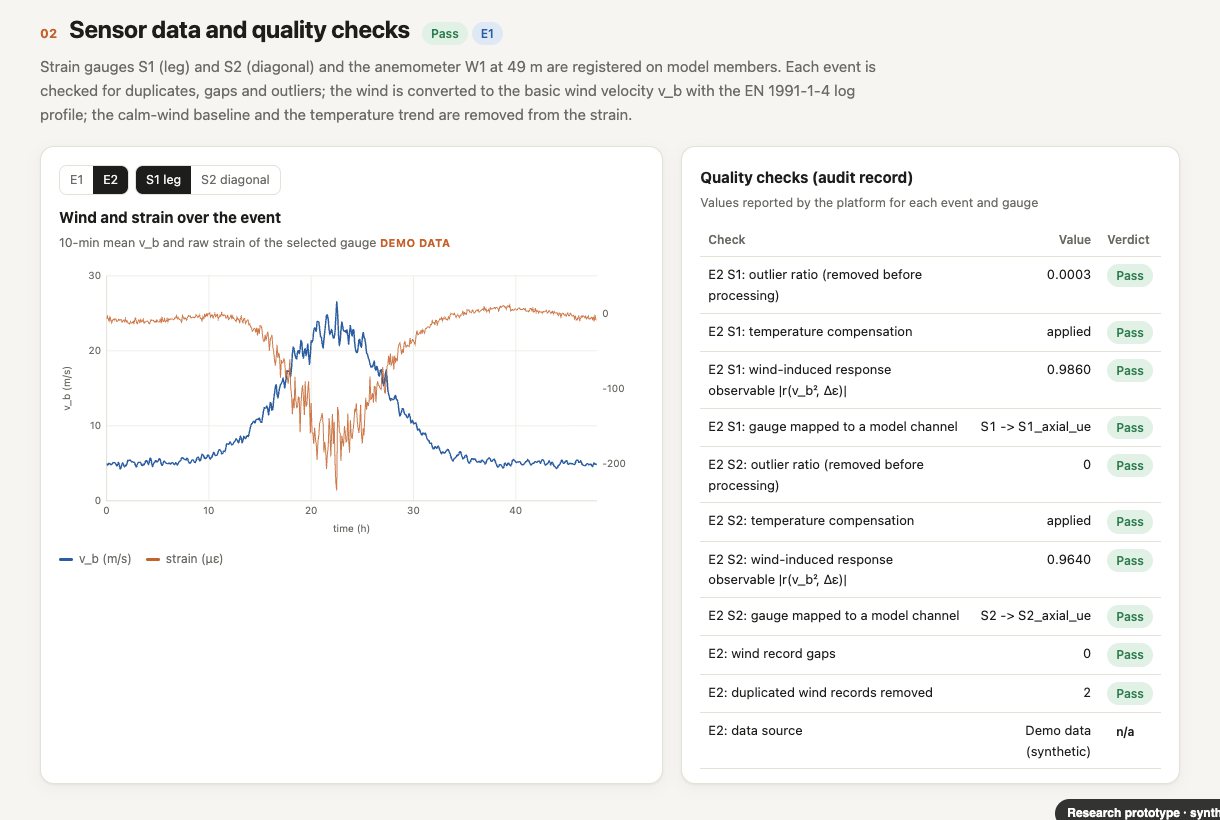
Every record is checked, and the check is kept
For each event and each gauge the platform reports the outlier ratio, whether temperature compensation was applied, whether the wind-induced response can be observed at all, and which model channel the gauge was mapped to. The verdicts stay in the audit record with the result.
The demonstration uses synthetic strain records and labels them as demo data. Today the twin reads sensor records as files in the project folder.
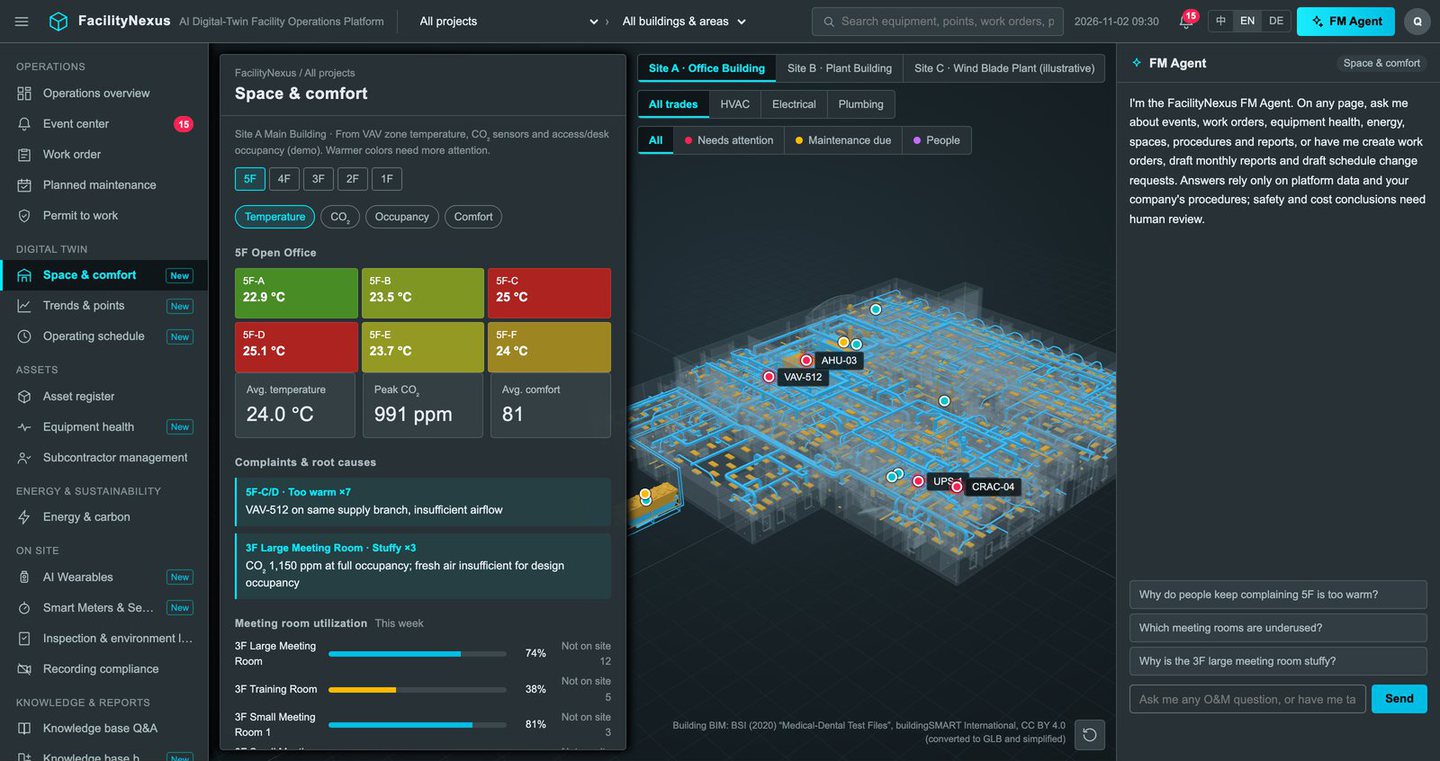
The same idea for a facility in operation
FacilityNexus ties zone temperature, carbon dioxide and occupancy sensors, smart meters and equipment points to the rooms and plant they belong to, on a 3D twin of the building.
- Complaints traced to a likely cause on the same supply branch
- Equipment health and planned maintenance in one view
- Wearable badges for staff working alone on site